Choose a collaborator
Open Team, create an invitation and choose a starting role.
Team
Invite makeup, sound, VFX and other collaborators. Choose which project sections they can open and whether they can view or edit them.
Sharing works by project section. The project overview remains available to every invitee.
Open Team, create an invitation and choose a starting role.
Adjust the visible sections. Choose view-only or editing access; deletion permission is granted separately.
Show the QR code on set or share the link via WhatsApp or email. The invitation belongs to that project.
TEAM / DEMO
Example: no invitation is created
VFX is an example section configuration, not a built-in role.
 The Last Bell
The collaborator sees
Example: no invitation is created
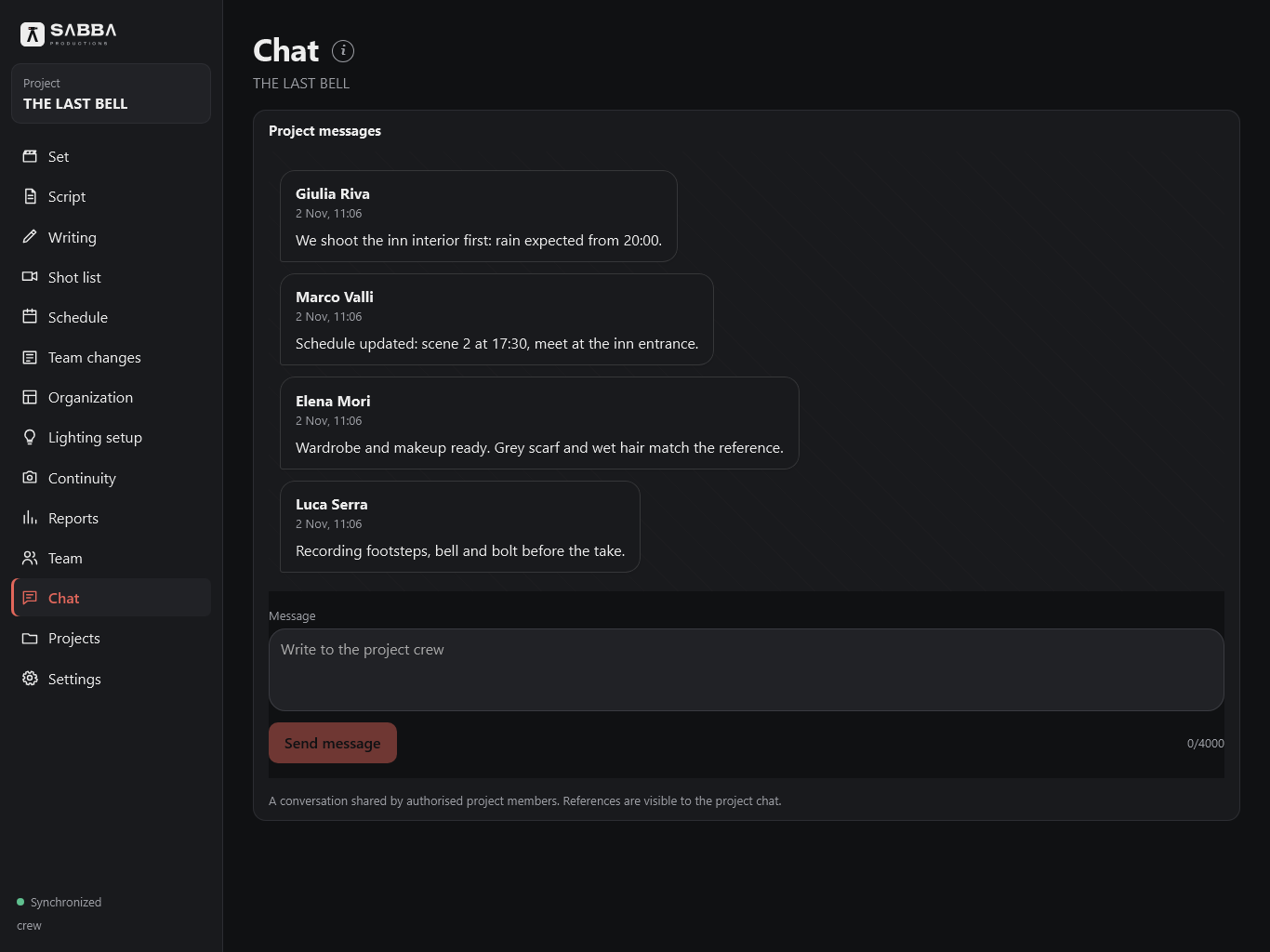
Authorized members can read and write in the project chat even with view-only data access. A connection is required; new members can also see previous messages.
Members with Script editing permission can also use Writing. View-only members can read the text. Collaboration lets you add an existing SABBA account to only the project script and chat, without opening the other sections. Conflicting changes to the same paragraph require a choice.
You can adjust the initial section selection while preparing an invitation and revoke access later. Revoking it blocks new connections through that link.
TEAM / LOGISTICS
Follow a working scenario: the forecast changes, production suggests an alternative and departments coordinate in the project chat.
THE LAST BELL · BlackmereInteractive demo
Step 1 of 4: Forecast
Production updates the schedule; the crew coordinates through chat. This is a simulation and sends no messages.
No. The Makeup and hair preset selects Script, Schedule and Continuity. Lighting setups are excluded. You can adjust the selection while preparing the invitation.
Choose a starting role and select the sections needed, such as Script, Shot list and Continuity. Give the invitation a recognizable name.
No. You can allow editing while leaving deletion permission off.
No. Each invitation belongs to one project and its assigned sections.
The project owner who manages the team can review other members’ updates to project data and the script on the Team changes page. Their own changes are excluded, including those made on other devices. The page refreshes while the app is open; it does not send push notifications or emails.
Updates remain on the dedicated page, without popups in other sections.
ACCESS
Free during testing, with invite-only access.